No upfront payment
What do you give a mom who has everything? A video made of photos from everyone who loves her. Classmates, colleagues, childhood friends, relatives and grandchildren each add a photo with her and a few words. The photos become one professionally made video.

Perfect video gift for Mom’s birthday
Video gift for Mom’s 65th birthday
Everyone adds photos
What happens when everyone sends a photo with Mom?
Mom sees her whole life on one screen, and she sees who remembered each moment. In our example, a mother’s 65th birthday, she watched it on the TV at home, together with the family. She kept stopping to remember where and when each photo was taken. She almost cried.
- On the TV at home
- Together with the family
- Mom’s 65th birthday
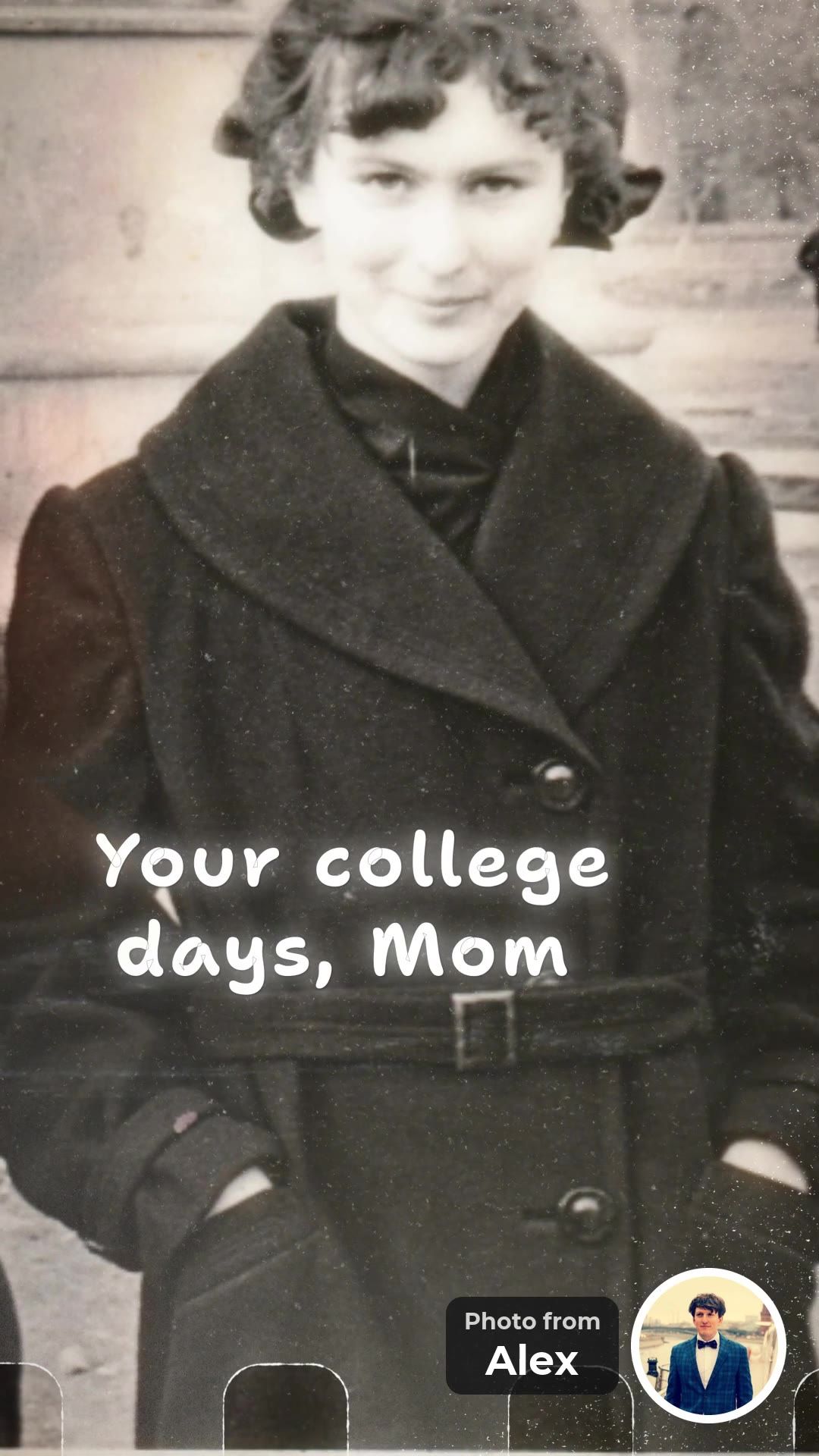
Your college days, Mom
Alex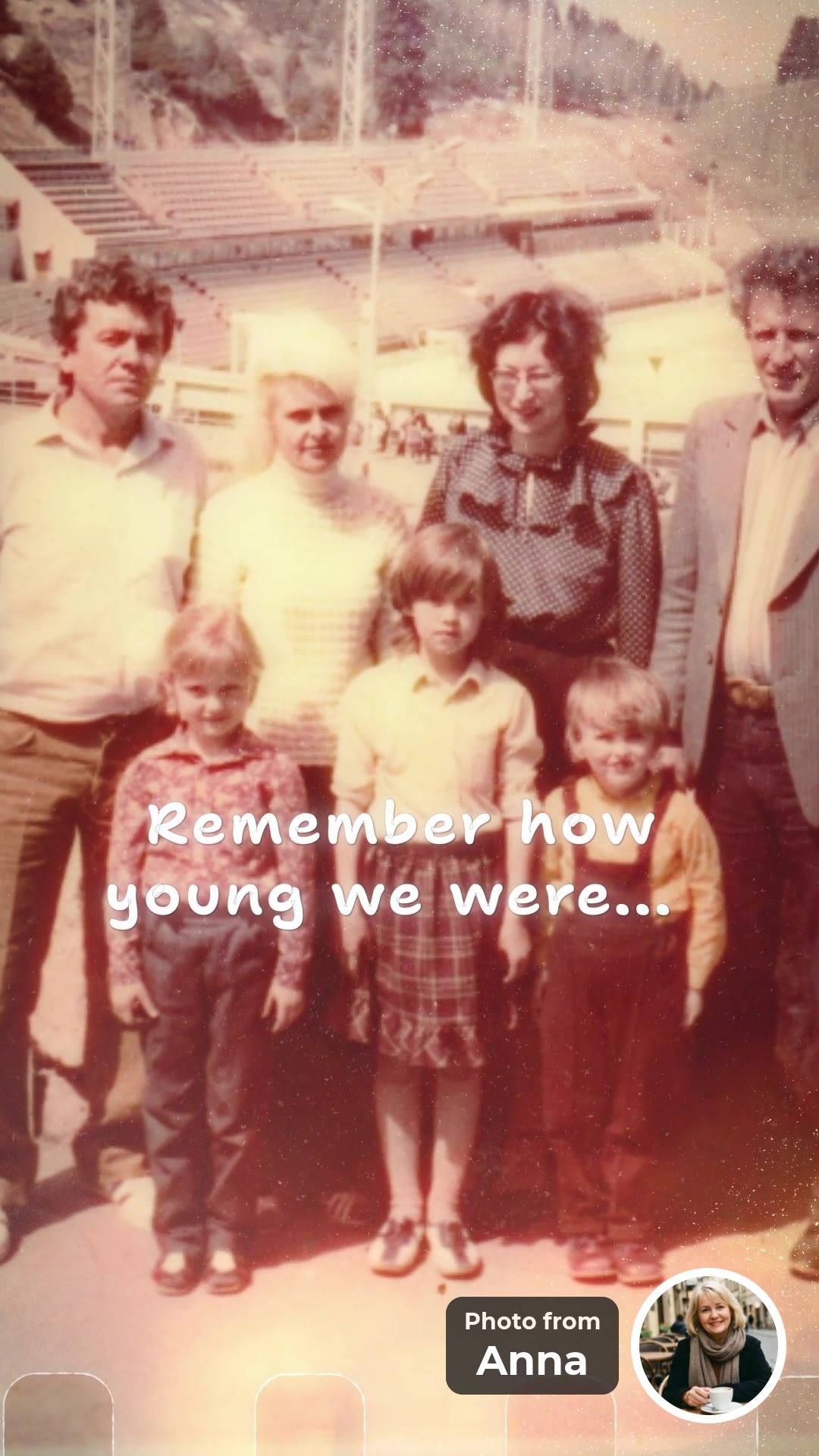
Remember how young we were...
Anna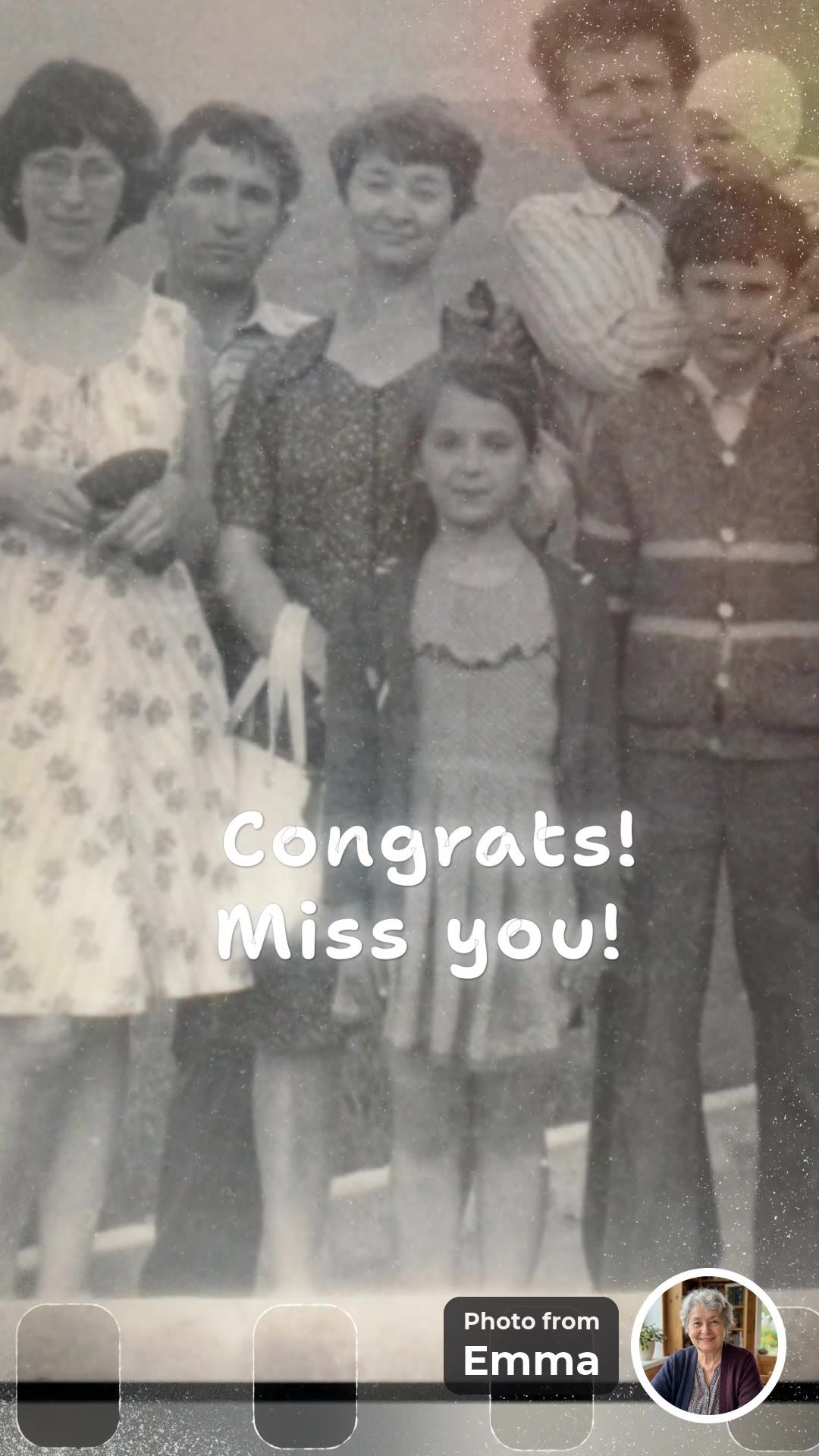
Congrats! Miss you!
Emma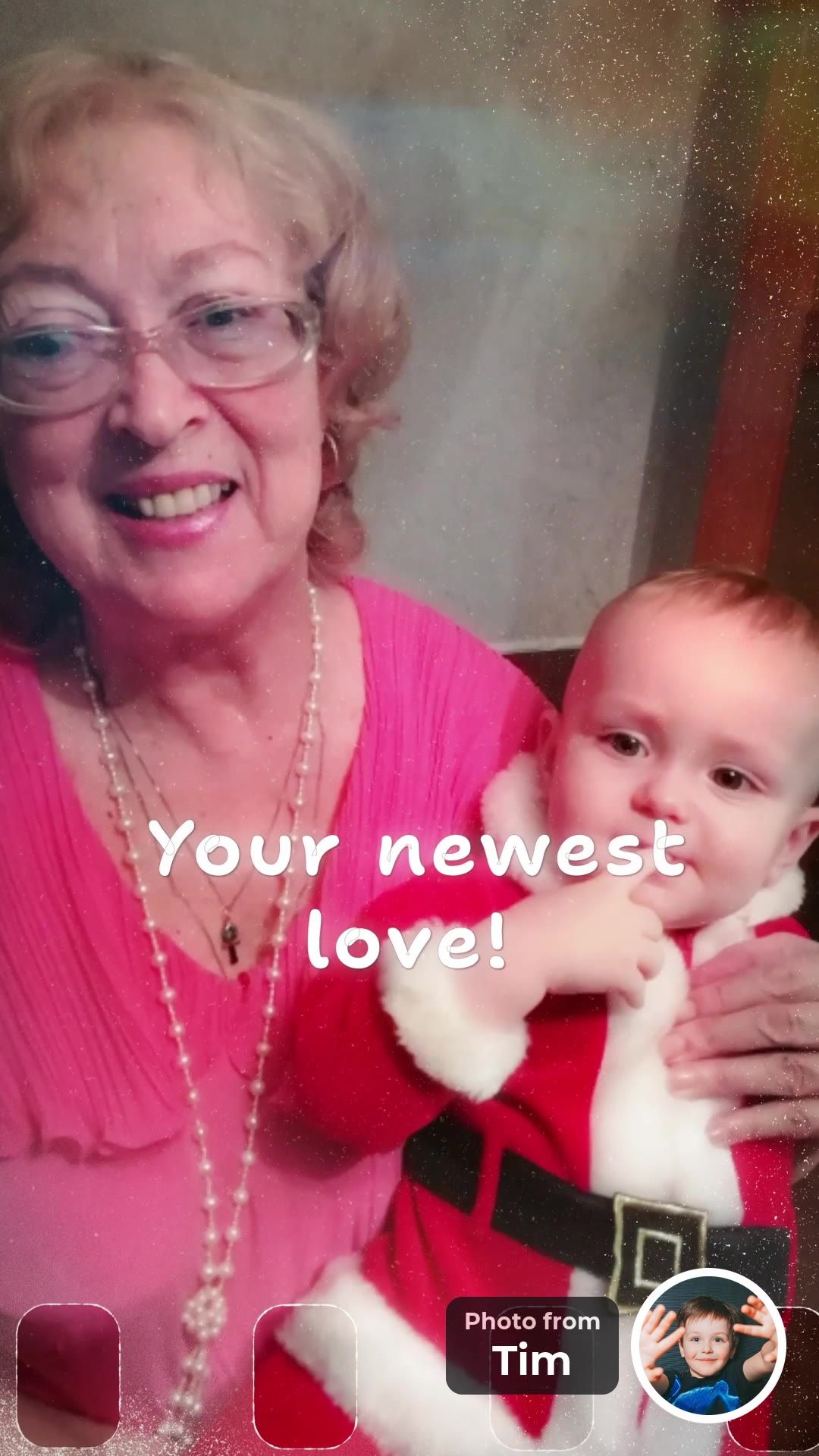
Your newest love!
Tim


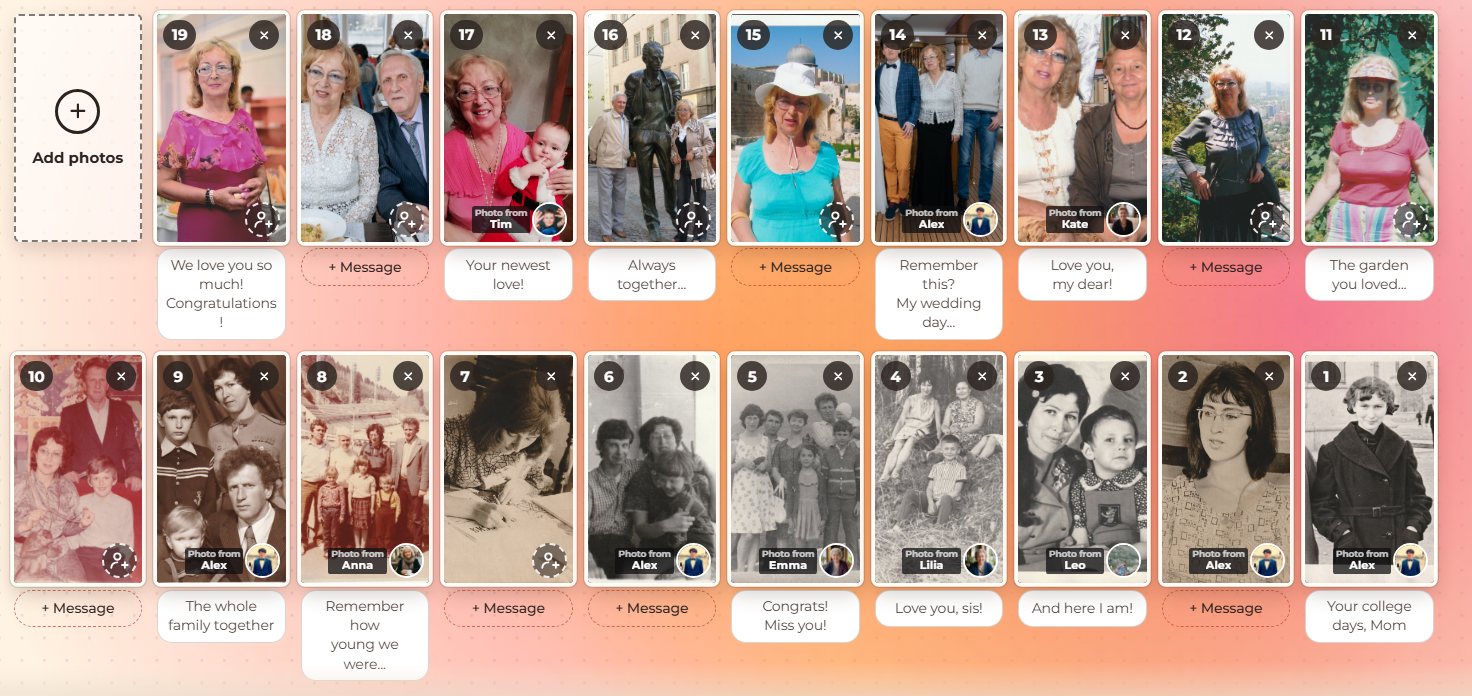
Eight people from three countries had sent 19 photos in two days. Each photo came with a small round portrait, so she knew at once who sent it.
For the family it was simple: one link, and everyone added their own photos. For Mom it became a super gift. Now imagine your Mom, with her classmates, her colleagues and her childhood friends, all in one video.
More people, bigger wow
Why invite everyone who loves Mom?
Because each new person brings a photo and a memory that nobody else has. One invitation goes to the family chat. Each guest adds a photo with Mom and a few words, then passes the link on. The more people join, the more of her life fits into one video, and the bigger the moment when she watches it.

The app writes the invitation. Tap “Invite everyone”, check the message and send it to a chat that Mom is not in.
The link travels on its own. After adding a photo, each guest is asked who else should be in the video. Cousins, old friends and former colleagues join too.
Joy for everyone, not only for Mom. For Mom, each new face is someone who remembered her. Each guest is part of the gift and can watch the finished video at the same link.

Each person in our example is in the video with their own photo and their own words, and nobody had to film anything.
What does a real birthday video for mom look like, frame by frame?
Our example is a surprise for a mother’s 65th birthday, made by 8 people from 3 countries who sent 19 photos in two days. Every frame shows the full photo, a short message and a small round portrait with a “Photo from …” label, so Mom knows who sent each one.
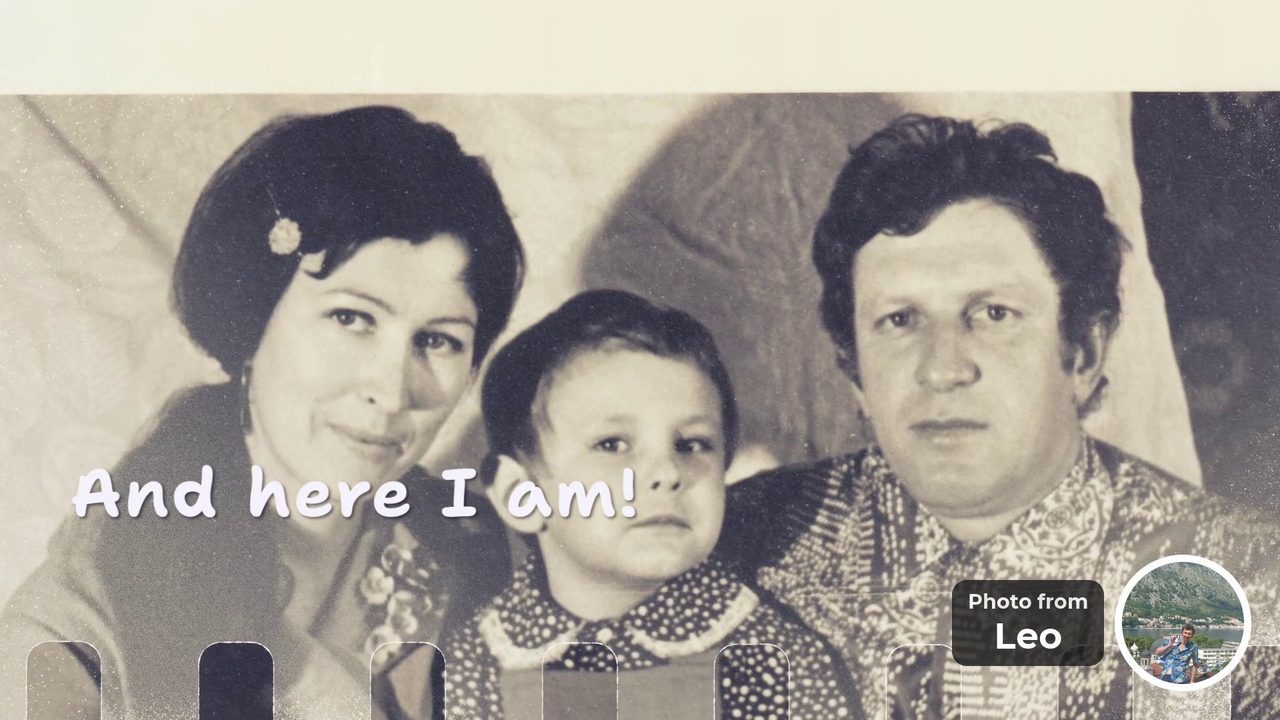
“And here I am!” Photo from Leo 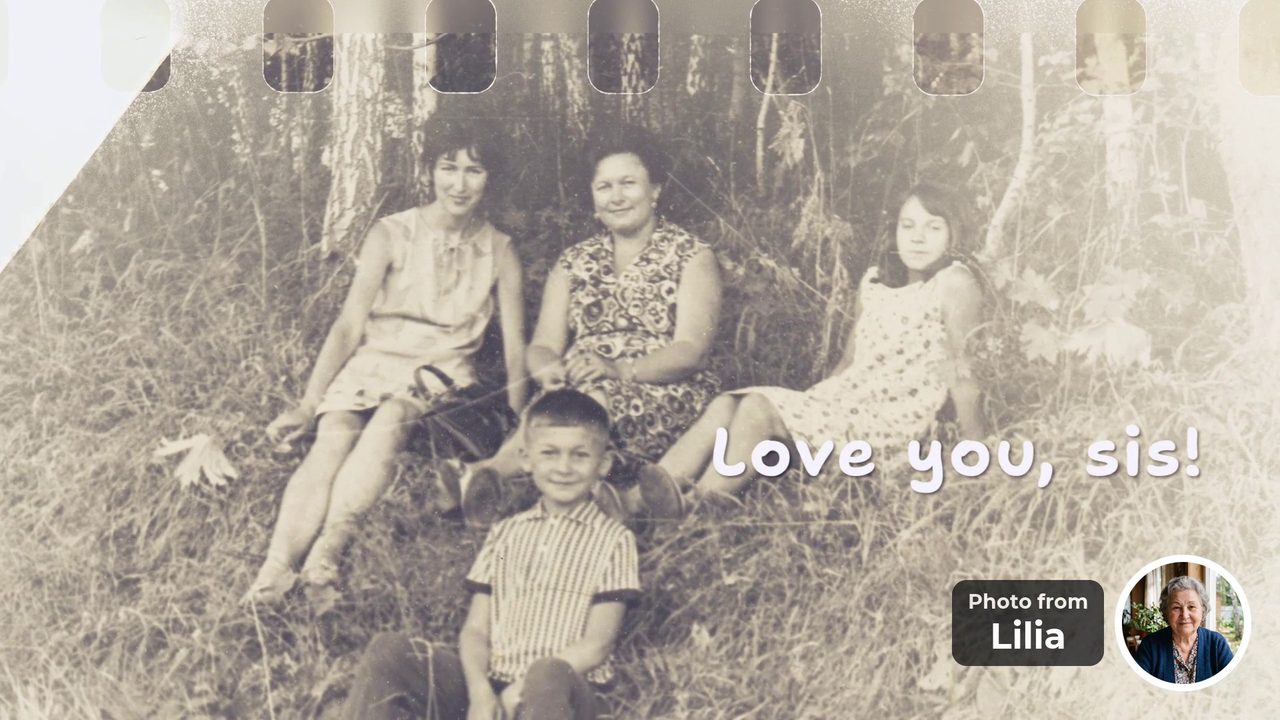
“Love you, sis!” Photo from Lilia 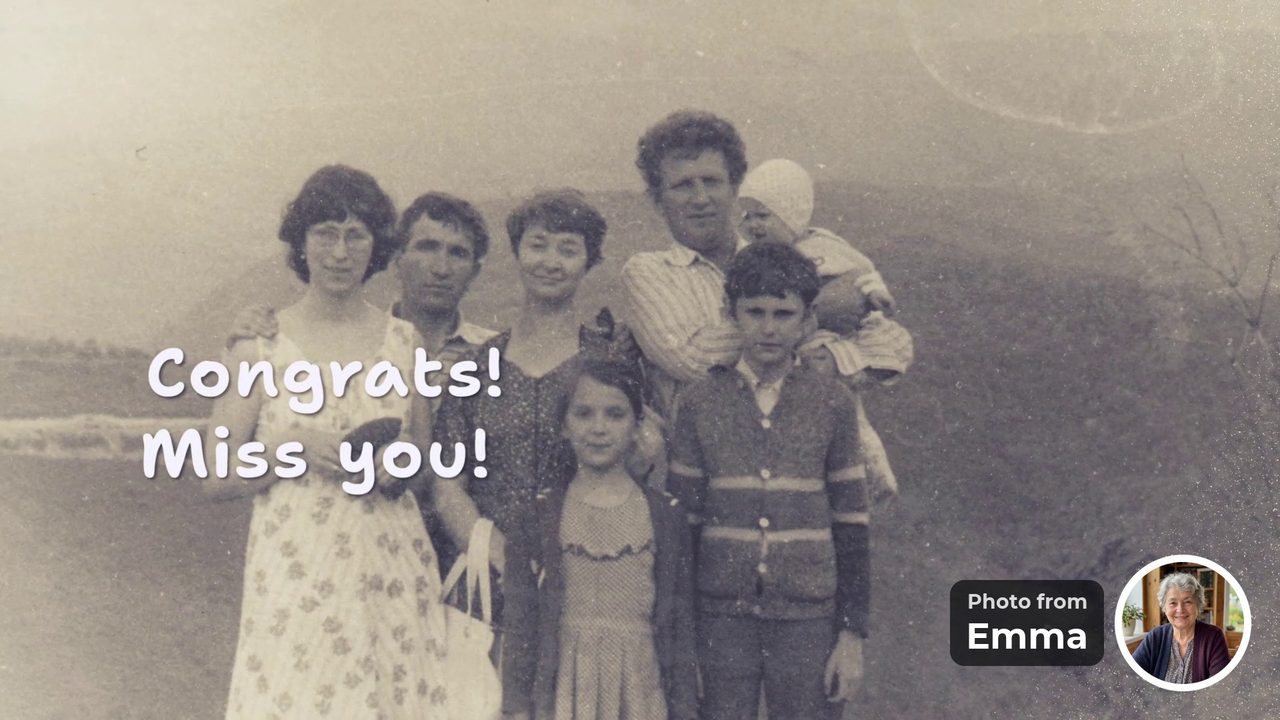
“Congrats! Miss you!” Photo from Emma 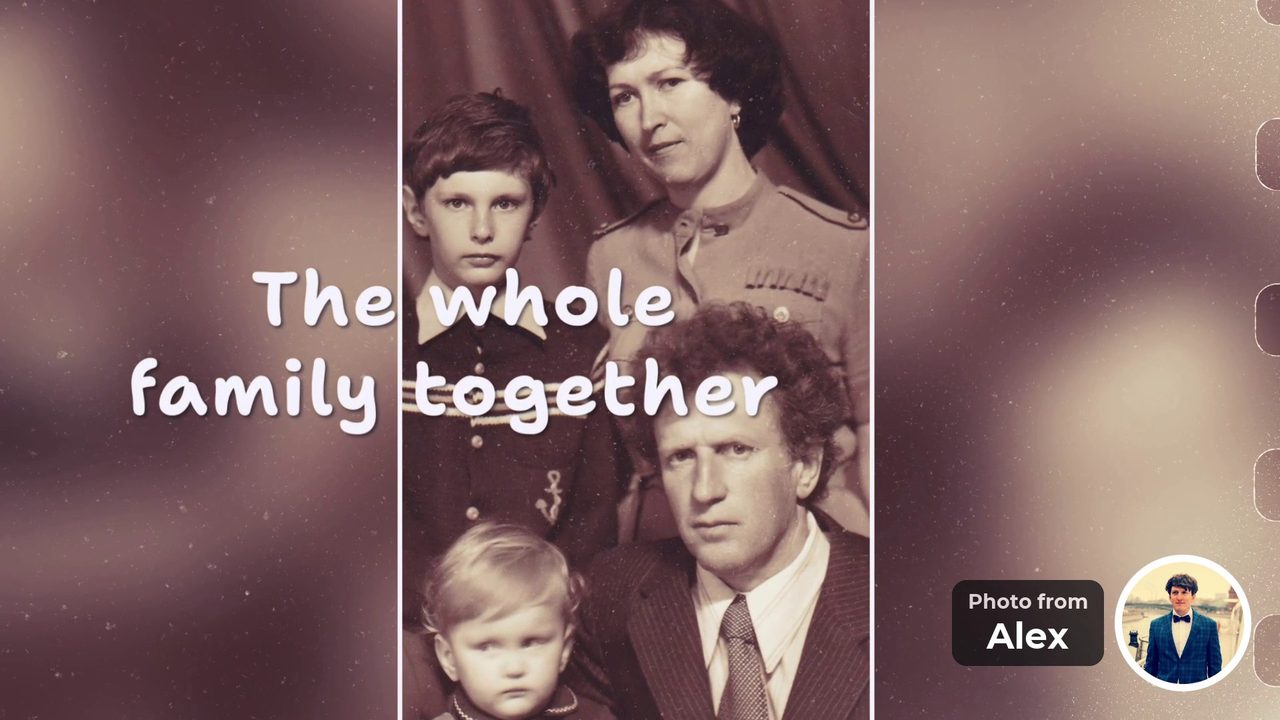
“The whole family together” Photo from Alex 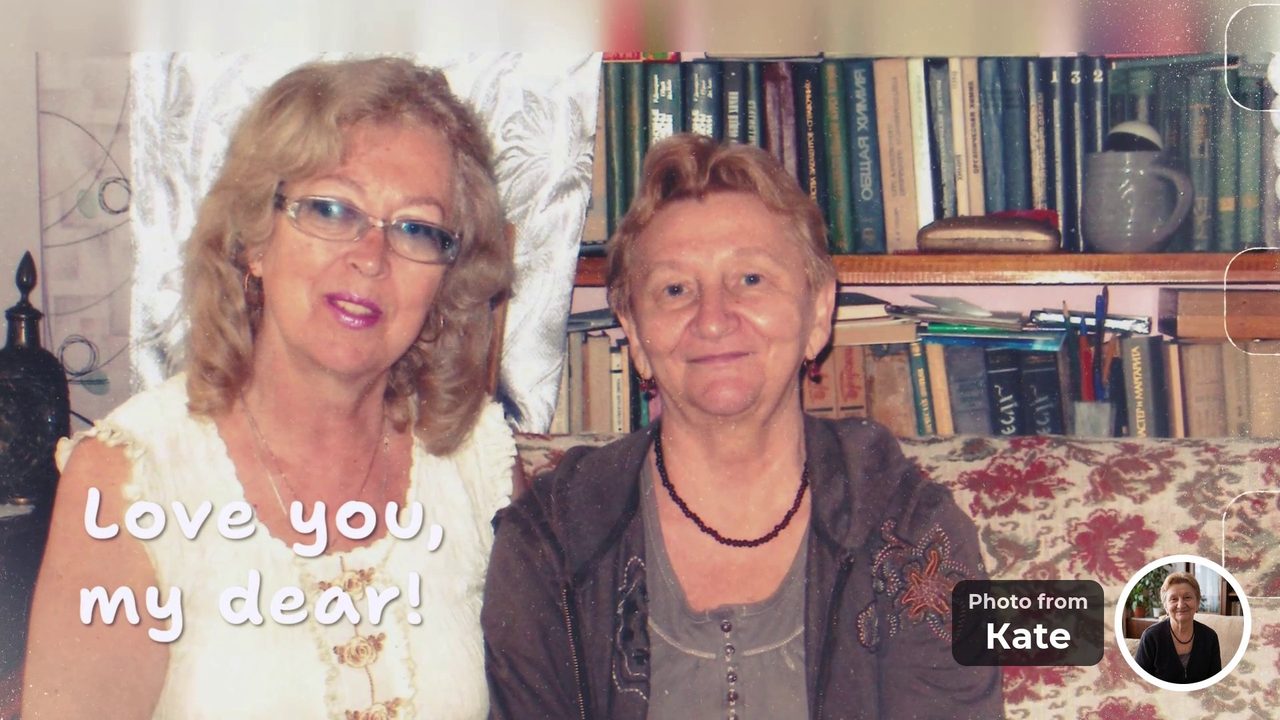
“Love you, my dear!” Photo from Kate “We love you so much! Congratulations!”The last message closes the video.


- 8 people
- 3 countries
- 19 photos
- 2 days to collect
Happy tears for everybody, memories forever.
Why does a video from everybody feel better than a bought gift?
Because every photo is a person saying “I think of you”. A scarf goes into a drawer and flowers fade in a week. A video made of photos from the people she loves can be watched again and again, and each photo shows who remembered that moment.
- 1A photo of Mom from the guest’s own archive. Each person finds one that only they have.
- 2A round portrait. It shows who the photo is from, so Mom knows whose memory it is.
- 3A few words. Up to 40 characters, in the guest’s own voice.
Where she studied. Where she worked. Who stood next to her at the wedding. Each photo is a memory that only one person kept. That is why the evening is full of memories, smiles and a few happy tears, for everybody in the room.
Is there a version for phones and social media too?
Yes. You get two videos made at the same time from the same photos: a horizontal 16:9 video for the TV and a vertical 9:16 video for phones and social media. Both are included in the price, so you do not choose one or pay twice.
- 16:9 for the TV and laptop. Play it at the party, on a wide screen without black bars.
- 9:16 for phones and social media. It fills a phone screen from edge to edge. Send it in the family chat or post it.
- Made at the same time. The same photos, messages and music, and a designed frame for every photo.
Who can add a piece of themselves to Mom’s video?
Anyone who has a photo with her, in a phone or in a drawer. That means relatives, friends, acquaintances, classmates, colleagues, neighbors, children and grandchildren. Each adds a photo and a few words, and a round portrait shows who it is from.
- acquaintances
- friends
- cousins
- classmates
- godchildren
- old neighbors
- grandchildren
- college friends
- relatives
- former colleagues
- in-laws
- neighbors
- colleagues
- nieces and nephews
- hobby friends
- childhood friends
- children
- family friends
Send a link
Will they really do it? Isn’t it a lot to ask?
No. Each guest needs a minute or two: open the link, choose one or two photos with Mom and write a few words. There are no selfie videos, no sign-up and no app. Relatives in other countries use the same link.
- Step 1Open the link.
- Step 2Choose one or two photos with Mom.
- Step 3Write a few words and add your portrait. Done.
- No sign-up
- No app
Asking for a video is a big request. A person has to find a quiet corner and look into the camera, and many put it off. A photo is easy. Everyone already has one with Mom.
You do not have to chase everyone: the app prepares the invitation, and after adding a photo every guest is asked, “Who else loves Mom?”.
Two promises
- No selfie videosGuests add a photo with Mom and a few words. Nobody has to film themselves.
- No upfront paymentStart free and watch the preview first. You pay once, after you see the video.
Start Mom’s video. Add a few photos, post one link in the family chat and watch the video before you pay.
Create a video giftFree to start. No upfront payment.
The practical part
How it works, what you get, how long it takes and what it costs.
What are the key facts about the video?
You get two videos from the same photos: 16:9 for the TV and 9:16 for phones. A video needs 10 to 30 photos in total and is built in up to 10 hours. It costs $39 for up to 15 photos or $49 for up to 30, and watching the preview is free.
- 16:9 + 9:16Two videosfor the TV and for phones, from the same photos.
- 10–30Photosin total. Every guest can add several.
- up to 10 hBuild timeafter you press “Make the video”.
- $39 / $49Priceup to 15 or up to 30 photos. No upfront payment.
How do you make the video? Three steps for the organizer
You add a few photos, send one invitation link and press “Make the video”. You need at least 10 photos in total. The video is ready in up to 10 hours, you watch the free preview, and you pay once, after it.
- Step 1Add a few photosTap to upload photos of Mom. Add a short line under each, up to 40 characters.
- Step 2Send one linkTap “Invite everyone” and send the ready message in a chat that Mom is not in.
- Step 3Press “Make the video”It needs 10 photos in all. Watch the free preview, change anything, pay once.
Swipe sideways to see the real app screens.
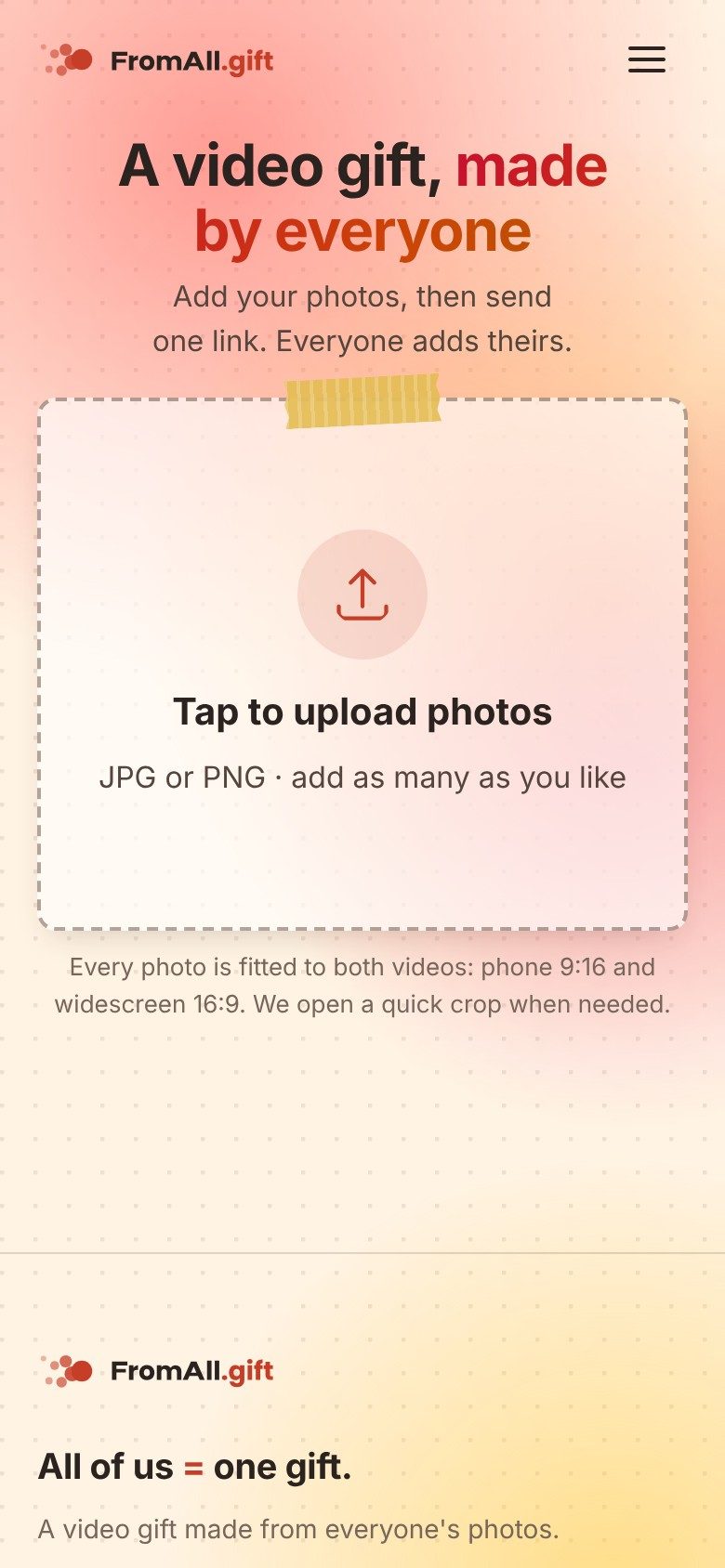
1 Tap “Tap to upload photos” and choose a few photos of Mom. 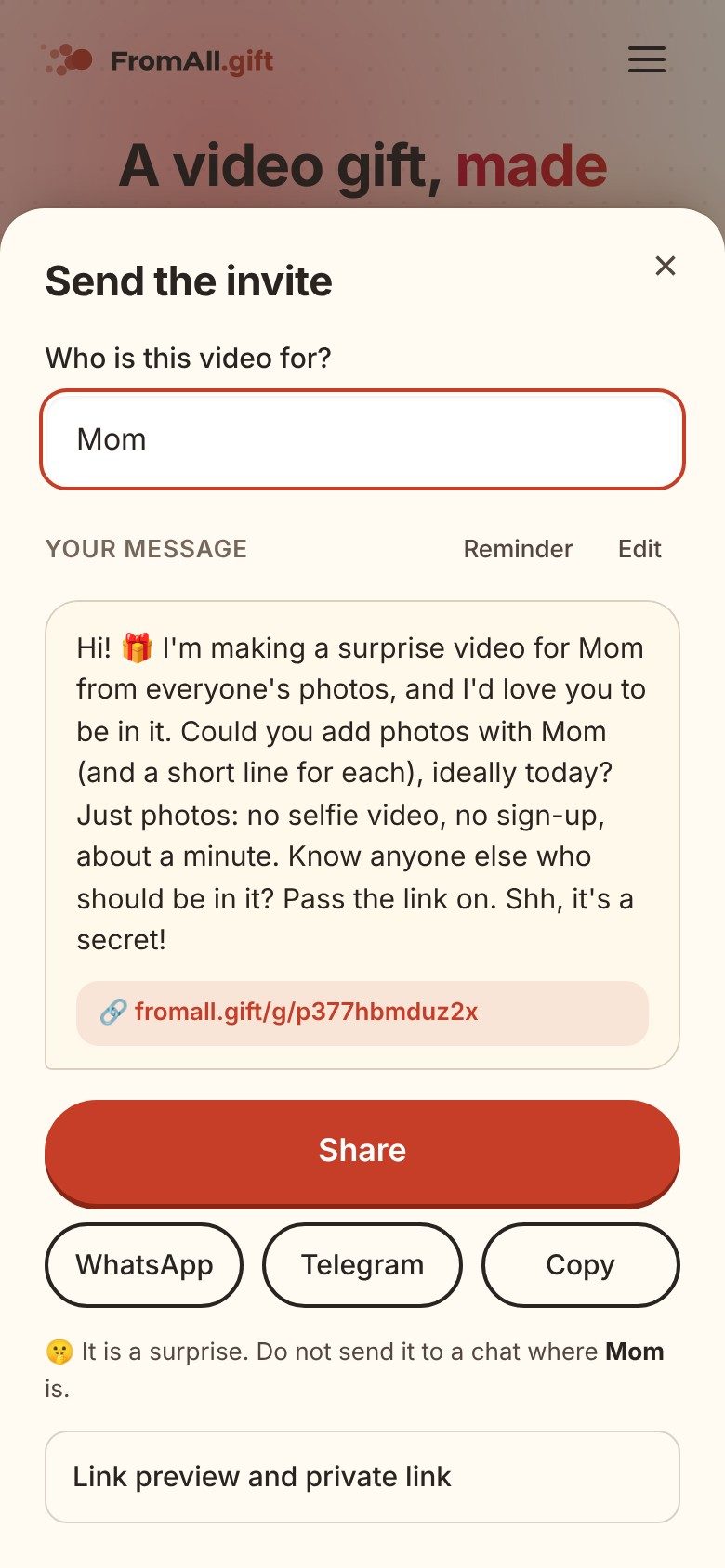
2 Tap “Invite everyone” and send the ready message.


The app writes the invitation for you. Send it as it is or edit it.
Hi! 🎁 I’m making a surprise video for Mom from everyone’s photos, and I’d love you to be in it. Could you add photos with Mom (and a short line for each), ideally today? Just photos: no selfie video, no sign-up, about a minute. Know anyone else who should be in it? Pass the link on. Shh, it’s a secret!
What should you ask relatives for, and what should they write?
Ask each person for one or two photos with Mom from their own archive, plus a few words of up to 40 characters. Post the link where the family already talks, set a date and remind once. Old photos and a photo with each person work best.
Old photos of her
Photos from before most of the family was born work best. In our example, one message simply reads “Your college days, Mom”.
A photo with each person
A picture of Mom with each child, sibling, grandchild or friend. The round portrait on the frame shows who sent it.
A line for the finish
Keep the warmest message for last. The final message in our example reads “We love you so much! Congratulations!”.
How do you collect photos from relatives in other cities?
Post one link in the family chat, where everyone already talks, and ask for something small: “One or two photos with Mom from your own archive, and a few words.” A small request is easier to say yes to. Set a deadline two or three days before the birthday and remind once. You decide when to press “Make the video”, so you can wait for late relatives. In our example, 8 people from 3 countries sent 19 photos, and collecting them took two days.
What should people write under their photo?
A few words, up to 40 characters: a memory, a nickname or one wish. The line sits on the photo, so short is the point. These examples fit the limit and are ready to copy; the first two come from our example video.
“Your college days, Mom”
“Love you, my dear!”
“The garden you loved...”
“You taught me to cook.”
“Thank you for every Sunday.”
“Still the best dancer in the family.”
More examples by relationship are in What to write in a group video message.
How is this different from other group video services?
Nobody has to record anything: each person only finds one or two photos with Mom. Many group video services ask every guest to record or upload a video clip, which is hard to get from a shy uncle or a busy sibling. Here a guest adds one or two photos and a few words, and then can pass the link to someone else.
At FromAll.gift
- Each guest finds 1–2 photos and writes a few words
- No selfie videos, no sign-up, no app
- After adding a photo, each guest is invited to send the link to someone else
- We build the video with professional visual effects and motion graphics
In clip-based services
- Each guest records or uploads a video clip
- Quality depends on every guest’s phone and lighting
- Guests who dislike being on camera often skip it
- Good if you want to hear voices
If voices matter more than photos, a clip-based service is the better choice; see VidDay alternatives for an honest comparison with prices and dates.
How early should you start?
Start about a week before the birthday, and no later than three days before. Most of the time goes to people replying, not to the video. The video itself is built in up to 10 hours after you press “Make the video”.
- 7 days beforeAdd your photos, get the link and post it in the family chat.
- 4 days beforeSend one reminder.
- 3 days beforePress “Make the video”. It takes up to 10 hours.
- 1 day beforeWatch the preview, fix anything you want, pay if you like it.
- The birthdayShow it on the TV or send the link.
If the video is not ready within 20 hours, you can cancel the order and go back to editing. If the birthday is tomorrow, a simpler gift is safer.
How do you share the finished video: on the TV or on phones?
Play the 16:9 version on the TV and gather the family, as in our example, and send the 9:16 version or one link for phones. A vertical video fills a phone screen without black bars, and a horizontal one fills a TV or a laptop. You get both versions for the same price, and on a phone the 9:16 version is shown first.
- Send the link. When the video is ready, a “Share the video” box appears with a link, a Copy button, buttons for popular messengers and email, and on a phone the system Share button. Relatives open the link and watch the video; they do not need to sign up.
- Send the phone version as a file. After you pay, anyone with the link can download each version in HD without the watermark. Send the 9:16 file to Mom’s phone or post it in the family chat.
- Play the TV version at the party. Download the 16:9 version and play it on the TV from a laptop or a USB stick.
Until you pay, the video has a watermark, so a link shared before payment works as a preview, not as the final gift.
How much does a mom’s birthday video cost?
$39 for up to 15 photos or $49 for up to 30 photos. Both a 9:16 version for phones and a 16:9 version for the TV are included. You start for free and watch the preview first: there is no upfront payment, and you pay once, after you have seen the video.
Five siblings splitting $49 pay under $10 each. VidDay charges from $5 for a short video of clips (read October 20, 2026), so if you want voices and faces, compare in VidDay alternatives or the cost comparison.
How do you keep it a surprise?
Keep the link in a private chat that Mom is not part of. Anyone who has the link can see the group’s photos, so share it only with people who should see them. When the video is ready, you decide when and how to show it: send the 9:16 version to her phone, or play the 16:9 version on the TV during the party.
Frequently asked questions
What is a good birthday gift for mom from the whole family?
A video made from everyone’s photos is a gift that is not an object. Each person adds one or two photos with Mom and a few words, and a service turns them into one video that the whole family can watch together.
How did Mom react to a video made from everybody’s photos?
In our example, a gift for a mother’s 65th birthday, she watched the video on the TV at home together with the family. She kept stopping to remember where and when each photo was taken, and she almost cried. For the family it was simple: one link, and everyone added their own photos.
How do I make a group birthday video for mom, step by step?
Add a few photos at FromAll.gift, tap “Invite everyone” and send the ready message to relatives, then press “Make the video” when you have at least 10 photos. The video is built in up to 10 hours. Watch the free preview, change anything with “Edit photos”, and pay once, after the preview.
What can I change after the video is made?
Anything, until you pay. Tap “Edit photos”, change photos, texts or their order, and make a new video as many times as you like. You can close the page while the video is built: tap “Save my access link” to come back on any device.
Do I have to sign in to organize it?
The organizer confirms once, when pressing “Invite everyone” or “Make the video”, with Google or email, so the page stays yours. Guests never sign in and do not need an app.
How many photos do we need for a birthday video for mom?
At FromAll.gift a video needs at least 10 photos in total and holds up to 30. Every guest can add several photos, so six people sending two photos each are enough.
How long can the message under each photo be?
At FromAll.gift the line under each photo can be up to 40 characters, so a few words work best, for example “Love you, my dear!”.
Can relatives in other countries take part?
Yes. Everyone uses the same link and needs no account or app. In our example video, 8 people from 3 countries sent 19 photos, and collecting them took two days.
How do we keep the video a surprise?
Share the link only in a private chat that Mom is not part of. Anyone who has the link can see the group’s photos. When the video is ready, you choose when and how to show it.
How do I share the finished birthday video with the family?
When the video is ready, copy the link from the “Share the video” box and send it in the family chat; relatives open it and watch with no sign-up. After you pay, anyone with the link can also download the 9:16 version for phones and the 16:9 version for the TV in HD without the watermark.
How long does it take to make the video?
The video is built in up to 10 hours after you press “Make the video”. If it is not ready within 20 hours you can cancel the order and go back to editing. Allow a few days before the birthday for relatives to send their photos.
How much does a birthday video for mom cost?
Starting and watching the preview are free, with no upfront payment. If you like the video, you pay once: $39 for up to 15 photos or $49 for up to 30 photos. Both a 9:16 version for phones and a 16:9 version for the TV are included.
What if some relatives do not send photos?
The video is built from the photos that were added, as long as there are at least 10. You decide when to press “Make the video”, so you can wait for late relatives.
Add a few photos, send one link, and watch the video before you pay. Guests do not need to sign up, and nobody films a selfie video.
Create a video giftFree to start. No upfront payment.
Sources and how we checked
- VidDay pricing (October 20, 2026)
The FromAll.gift details (photo counts, 40-character limit, price, timing, edit rules) come from our own service. The example video was made by a family for a mother’s birthday and is shown with their permission. What happened when Mom watched it is the account of the organizer’s family.

Who wrote this. Jane A. writes the guides on FromAll.gift. We make one of the services mentioned here, so details about other services show the page and the date we checked.
FromAll.gift is the new version of FromFoto, which has been turning photos into videos for 8 years and has made 112,000 of them. Those videos were made for one customer at a time; FromAll.gift adds new visuals and one shared link, so a whole group can contribute to one video. About FromAll.gift