No upfront payment
You add a few photos and get one link. You send it to the others, and they add their own photos and short messages without signing up. You press “Make the video”, the video is built in up to 10 hours, and you watch a free preview. If you like it, you pay once and download it in 16:9 for TV and 9:16 for social media. The video above is a real example, made for a mother’s 65th birthday.

How FromAll.gift works in four steps
Video gift for Mom’s 65th birthday
Send a link
What are the steps?
Four steps: add photos, send the link, make the video, then pay and download. The same steps apply to a birthday, a wedding, a farewell or any other occasion. You need about five minutes to start, each guest needs about one minute, and the video is built in up to 10 hours.
- Step 1Add a few photosYou start the gift with a few of your own photos and get your link. This takes about five minutes.
- Step 2Send the link to the othersGuests open it and add their photos and a short message. No sign-up and no app, about a minute each.
- Step 3Make the videoWhen enough photos are in (at least 10), you press “Make the video”. It is built in up to 10 hours, and you watch a free preview.
- Step 4Pay and downloadIf you like it, you pay once: $39 for up to 15 photos or $49 for up to 30. You download a 16:9 version for TV and a 9:16 version for social media.
Swipe sideways to see the real app screens.
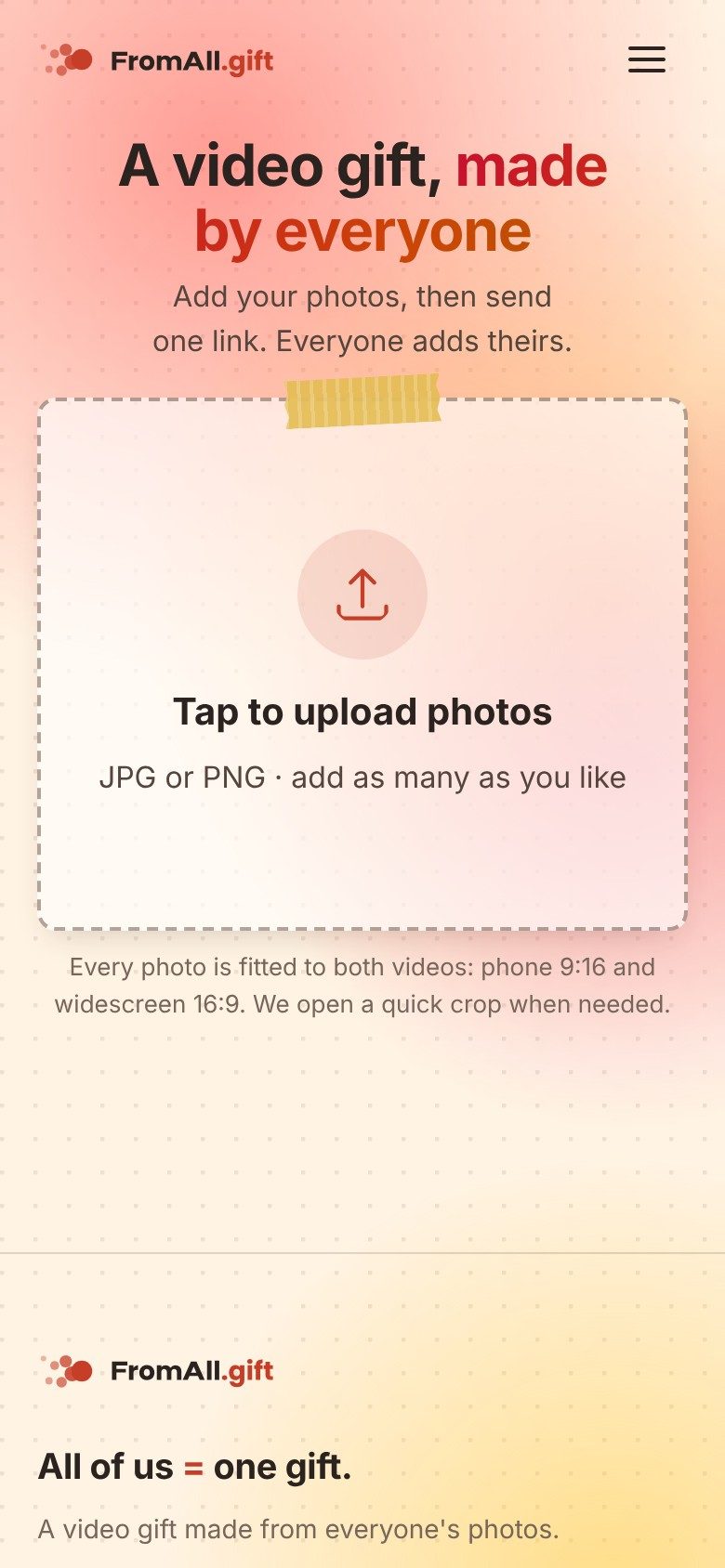
1 Step 1: tap “Tap to upload photos” and choose a few photos. 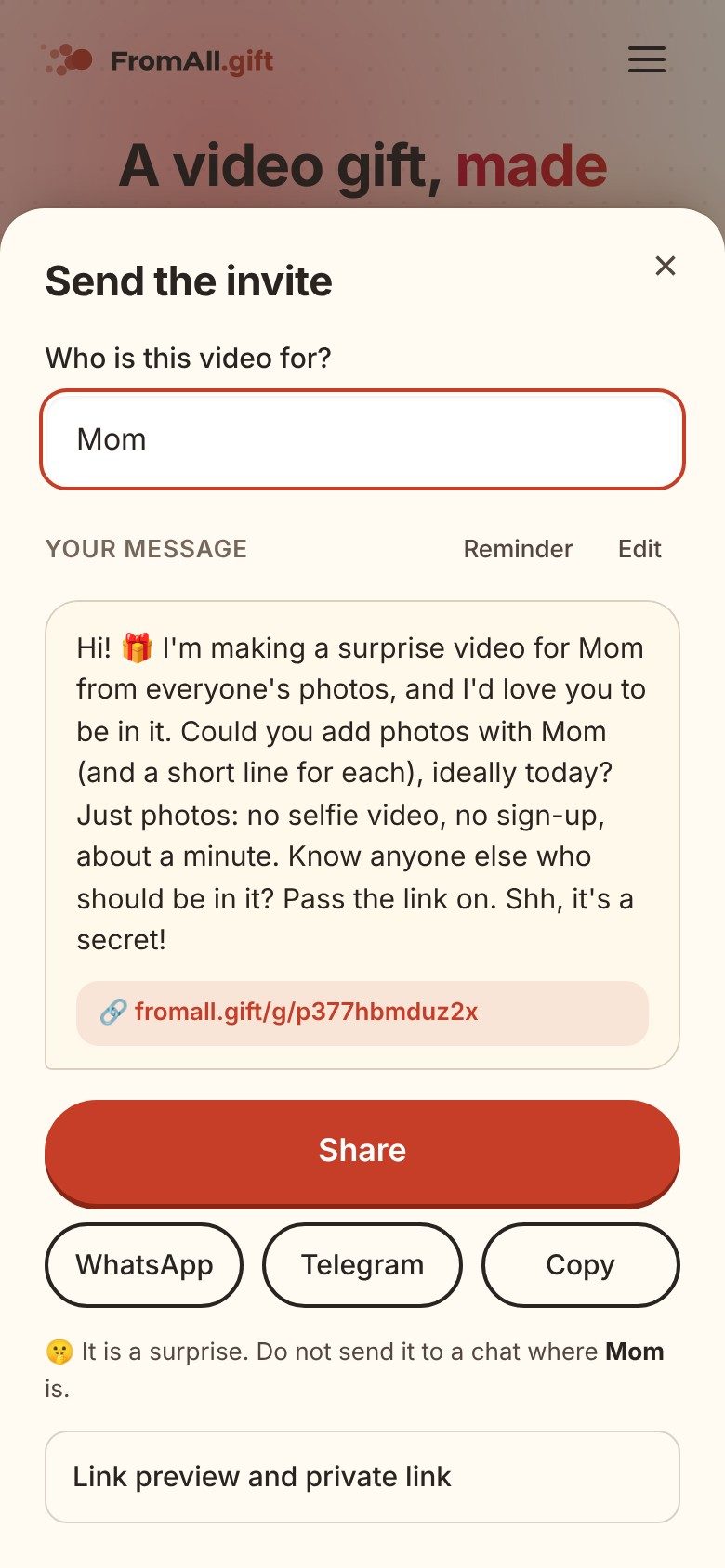
2 Step 2: tap “Invite everyone” and send the ready message.


The app writes the invitation for you, with the name you enter, so you do not have to find the words.

Happy tears for everybody, memories forever.
What does the finished video look like?
Every photo appears full frame, with a short message and a small round portrait of the sender. The round portrait comes with a “Photo from …” label, so the person receiving the gift can see who sent each memory. The video has professional motion graphics and music that fits its length and fades out at the end. The video at the top of this page is a real example.
- 1The full photo. It is shown whole, from the sender’s own archive.
- 2A round portrait. It shows who the photo is from, so the person knows whose memory it is.
- 3A few words. Up to 40 characters, in the sender’s own voice.
- 8 people
- 3 countries
- 19 photos
- 2 days to collect
This video was made for a mother’s 65th birthday. See every message from it.
Is there a version for phones and social media too?
Yes. You get two videos made at the same time from the same photos: a horizontal 16:9 video for the TV and a vertical 9:16 video for phones and social media. Both are included in the price, so you do not choose one or pay twice.
- 16:9 for the TV and laptop. Play it at the party, on a wide screen without black bars.
- 9:16 for phones and social media. It fills a phone screen from edge to edge. Send it in a chat or post it.
- Made at the same time. The same photos, messages and music, and a designed frame for every photo.

What do guests do?
They open the link and add photos and a short message, in about a minute. A guest needs no account and no app. Each guest can add several photos, and for each photo a message of up to 40 characters with their name and portrait, if they like. Everyone who has the link can see the photos the group has added.
- Step 1Open the link.
- Step 2Choose one or two photos.
- Step 3Write a few words and add your portrait. Done.
- No sign-up
- No app
Two promises
- No selfie videosGuests add a photo and a few words. Nobody has to film themselves.
- No upfront paymentStart free and watch the preview first. You pay once, after you see the video.
It takes about 5 minutes to start. Each guest needs about 1 minute. You pay only after you have watched the video.
Create a video giftFree to start. No upfront payment.
The practical part
Key facts, your part, timing, privacy and what FromAll.gift does not do.
What are the key facts?
You need about five minutes, each guest about one minute, and the video is built in up to 10 hours. You get two formats from the same photos: 16:9 for TV and 9:16 for social media. A video costs $39 for up to 15 photos or $49 for up to 30, and watching the preview is free.
- ~5 minYouto add photos and get the link.
- ~1 minEach guestto add a photo and a few words.
- up to 10 hVideo readyafter you press “Make the video”.
- 16:9 + 9:16Formatsfor TV and for social media.
What do you do as the organizer?
You add the first photos, share the link, decide when to make the video, and pay if you like it. You sign in with Google or email when you invite others, so the gift is yours. You decide when to press “Make the video”, so you can wait for late guests. You can edit your photos as many times as you like until you pay.
How long does it take?
You need about five minutes, each guest about one minute, and the video is built in up to 10 hours. The time depends on the number of photos, so order a day or two before the date, and allow a few more days for guests to reply. If the video is not ready within 20 hours, you can cancel the order and go back to editing.
What happens to the photos?
Your photos and messages are deleted 15 days after your video is ready. Photos, messages and videos are used only to make your video and to show it to the people you share the link with. We never use them for advertising.
They are kept for up to 15 days after your video is ready (or after you pay, if that is later), then deleted, so download your video within that time. A group where nobody ordered a video is deleted after 30 days without activity. Refunds are possible on request after payment; see the Refund Policy.
What does FromAll.gift not do?
FromAll.gift does not record voices or video clips, collect gift money, track RSVPs or send physical keepsakes. It makes one video from photos with short messages, with 10 to 30 photos and a length of up to 3 minutes, and the interface is in English. If you need clips, see VidDay alternatives.
Frequently asked questions
How does FromAll.gift work?
You add a few photos and get one link. You send the link to the others, and they add their own photos and short messages. You press “Make the video”, watch a free preview, and pay once, after the preview, if you like it. You then download it in 16:9 for TV or 9:16 for social media.
Do guests need an account or an app?
No. A guest opens the link, adds photos and, if they like, a short message with their name and portrait. There is no sign-up and no app to install. Only the organizer signs in, with Google or email.
How long does the video take to build?
Up to 10 hours after the organizer presses “Make the video”. If it is not ready within 20 hours, the organizer can cancel the order and go back to editing.
How many photos can the video use?
From 10 to 30 photos in total. The Small plan covers up to 15 photos (up to 90 seconds) and the Large plan up to 30 photos (up to 180 seconds). Every guest can add several photos.
How long can the text under each photo be?
Up to 40 characters, so a few words about one memory work best.
Can I change the video after I see the preview?
Yes. You can edit your photos as many times as you like until you pay. After payment edits are closed.
Who can see the photos?
The people who have the link. Photos, messages and videos are used only to make your video and to show it to the people you share the link with, and they are never used for advertising.
How long are the photos kept?
For up to 15 days after your video is ready (or after you pay, if that is later), then they are deleted, so download your video within that time. A group where nobody ordered a video is deleted after 30 days without activity.
Add a few photos, send one link, and watch the video before you pay. Guests do not need to sign up, and nobody films a selfie video.
Create a video giftFree to start. No upfront payment.